

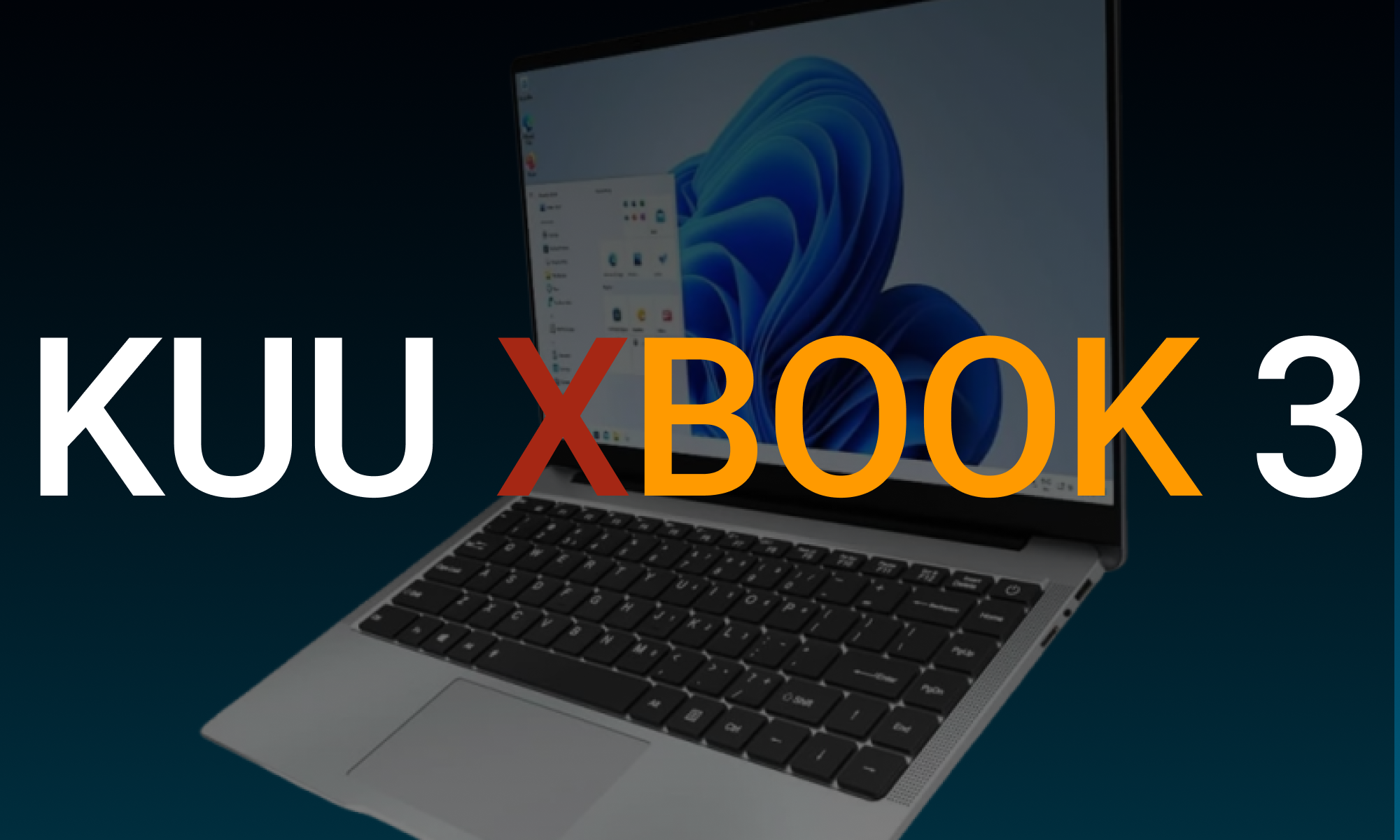
The KUU Xbook-3 has earned its place as a well-designed, lightweight, and powerful budget-friendly laptop perfect for casual users. The KUU Xbook-3 could be a perfect choice if you’re a student, a freelancer working on the low side, or searching for a relatively budget laptop for your day job. This review covers every aspect of the Xbook’s design, internals, software, performance, and value to help you answer whether the Xbook is the right laptop for you.
Design And Build Quality
The KUU Xbook-3 is a sleek, lightweight laptop designed for simplicity and durability. At 1.35 kg (2.98 lbs), the laptop is a portable powerhouse for users who are always on the go.
Key Design Highlights
- Build: This laptop is made of an aluminium alloy body, which increases durability and feels premium. So it is sturdy enough for daily use.
- Display: 14.1-inch FHD (1920 x 1080) IPS The slim bezels make it a more immersive watch, perfect for videos or documents.
- Ergonomics: The full-size keyboard gives you decent edge feedback, even if you are strange and in front of the occasion. The trackpad is responsive, if small, with multi-gesture support.
The design is focused on keeping things simple and functional for users who appreciate appearance and usability at a low price.
Key Advantages of the Design
- Subtle Chunky Style: The design is clean enough to be worn in the office, during presentations, or in meetings.
- Durable: lightweight body, not often seen in budget laptops.
- Overall Size: The portability makes it an excellent fit for the on-the-go lifestyle of students, professionals, and digital nomads alike
Drawbacks in Design
The quality of the design and build is impressive for the price, but there are a couple of limitations:
- Keyboard: No backlight keyboard, which may affect usability in low-light situations.
- Few colors: The KUU Xbook-3 is limited to neutral colors; those looking for vibrant or customizable aesthetics might find it challenging.
- Plastic Parts: While most of the body is made of aluminum, small parts (such as the bezel) lack aluminum, and the premium feel decreases slightly.
However, the KUU Xbook-3 is still designed for casual computing tasks. It allows seamless web browsing, document editing, and multimedia playback.

Specifications
CPU: Intel Celeron quad-core J4115 (for J3455), Boost frequency up to 2.5GHz. It will be enough for basic tasks but may be challenging under heavy workloads like video editing or 3D rendering.
Memory: 8GB DDR3L RAM allows a casual user to run multiple browser tabs and lightweight programs in the background without lag.
Storage: A 256GB SSD offers a significant bump in boot times and app responsiveness. This extra M.2 slot makes it easy to upgrade storage.
Performance: The laptop can power through light productivity and streaming from Netflix for regular, day-to-day tasks. When we find the KUU Xbook-3 installed with Windows 10 by default.
Pre-installed Features
ITJC includes:
- All essential productivity tools.
- Windows utilities.
- Applications are ready for you to use immediately.
However, in many cases, removing unneeded pre-bundled programs helps free up resources and increase performance.
User-Friendly Features
Quick Booting: The laptop boots in less than 15 seconds due to the SSD, so it’s fast booting for a quick start to the day.
Speakers: The dual speakers are acceptable for video calls and casual music but lack depth or bass. The sound is outputted to the computer by default, but external headphones or speakers will improve the audio.
Webcam: A 2MP front-facing camera is fine for video conferencing, but nowhere near the sharpness we see on premium laptops.
Battery Life: Impressive Battery Life. Inside the KUU Xbook-3, you’ll find a 38Wh battery, which provides decent duration for anyone in this budget range.
Battery Performance
- Battery Life: Up to 6 hours of light/moderate use, such as web browsing and document editing.
- Charging: The fast charging support allows you to return to work or entertainment, quickly reducing downtime.
The battery life is acceptable for students and professionals who work shorter workdays. However, power users may want to have the charger nearby.
Connectivity and Expandability
KUU Xbook-3 provides good ports and connectivity options for daily needs.
Port Selection
- Two USB 3.0 ports for peripherals
- A Mini HDMI port [for output to an external display]
- A headphone port and a microSD card slot for expandable storage
Wireless Connectivity
- Wi-Fi 5 allows for a strong base internet connection, and Bluetooth 4.2 lets you pair wireless devices quickly.
- It gives users looking to increase storage space with the additional M.2 slot a bonus.
Features of KUU Xbook-3 for Ideal Users
1- Students
Lightweight and budget-friendly, it excels for online classes, research, and assignments.
2- Freelancers
Great for all writers, data entry people, and remote workers who need a light, quick little machine.
3- Casual Users
It is well suited for web browsing, streaming, and other light tasks without the high price tag.
Challenges and Limitations
As a budget-friendly laptop, though, the KUU Xbook-3 comes with its own set of limitations:
- Processor: The budget CPU can barely keep up with multitasking or resource-intensive apps.
- Graphics: Integrated Intel UHD Graphics 600 (not for gaming or graphic design)
- Speaker Quality: The audio output could be more satisfactory.
- Battery Life: Good, but not great compared to more expensive ultrabooks
Read Also about An In-Depth Look at the Lenovo Y700’s Specs and Features
KUU Xbook-3: Startup’s Choice
For startups / small businesses on a budget, the KUU Xbook style devices can be economical to put under entry-level employees, interns, or even just for light office work.
Looking Ahead for the KUU Xbook: A perfect example is the KUU Xbook-3, part of an increasing trend of value-focused laptops delivering decent performance. As technology continues to progress, similar models will also soon include:
- More powerful chips for better multitasking
- Extended battery life
- Many new audio and display technology advancements
Comparison With the Competitors
Here’s the comparison with the competitors and the KUU Xbook-3 2023 Other Budget Laptops
The KUU Xbook-3 challenges some of the best budget laptops and offers several features for casual users, students, and professionals. Yet, a side-by-side comparison with the laptop category competitors is necessary to understand its value completely. This section, the KUU Xbook-3 is compared with some of the most popular competitors, the Acer Aspire 5, Lenovo IdeaPad 3, and CHUWI HeroBook Pro, covering aspects, performance, display, and price.
1- Design and Build Quality
KUU Xbook-3:
- Pros: Metallic design looks beautiful and has a lightweight body (1.35kg). Its thin build makes it easy to carry around and aesthetically pleasing.
- Cons: Some will not like the plastic bezel & no keyboard backlight.
Competitors:
1- Acer Aspire 5: Bulkier (1.8kg) but more solid build with aluminum and plastic blend. Its backlit keyboard gives it an edge for low-light usability.
2- Lenovo IdeaPad 3: While it has a practical design, quality can take a hit. Windows 11 can run on less powerful hardware and is well-featured. Slightly heavier at 1.6kg.
3- CHUWI HeroBook Pro: Very similar to Xbook form factor-wise (very lightweight), but having less premium metallic finish polish makes it less elegant.
Winner: The KUU Xbook-3 is the portable, gorgeous-looking lead here, but it is edged by the Acer Aspire 5 in build durability and backlit keyboard availability.
2- Performance
KUU Xbook-3:
- Processor: Intel Celeron J4115, light surfing, document, and streaming.
- Memory: 8GB RAM, good enough for multitasking and lightweight productivity.
- Storage: A 256GB SSD that should provide faster boot times and data access than an HDD
Competitors:
1- Acer Aspire 5: A bigger 15.6-inch Full HD display makes this laptop better for consuming media but a bit less portable
Winner: The Acer Aspire 5 is a performance leader thanks to its superior processor, but the KUU Xbook-3 has a good balance of RAM and SSD capacity for everyday computing.
Portability and Battery Life
KUU Xbook-3
- Portability: At just 1.35kg, it is one of the most portable.
- Battery Life: About 6-7 hours of use from a full charge. Fine for daily work, but not anything special.
Competitors:
1- Acer Aspire 5: 1.8kg; a big no for portability. But it has a respectable battery with 8 hours of light usage.
2- Lenovo IdeaPad 3: Bulkier, heavier design, although it has the same battery life as the Xbook.
3- CHUWI HeroBook Pro: Lighter than Xbook (1.39kg) with better battery life (up to 8 hours).
Winner: The KUU Xbook-3 is a compact laptop, but its battery life is shorter than the CHUWI HeroBook Pro or the Acer Aspire 5.
Price and Value for Money
KUU Xbook-3:
- Price Point: Generally $300-$350 (Great for spec in the budget space)
Competitors:
1- Acer Aspire 5: Costs $400-$500 but will be at the high end, but that’s for a better processor.
2- Lenovo IdeaPad 3: From $350, decent performance but often needs to be upgraded to be any good.
3- CHUWI HeroBook Pro: It is essentially the same as the KUU Xbook-3 but needs to improve in build and display quality.
Winner: The KUU Xbook-3 provides the best combination of price, features, and looks
Read Also About Lenovo i7 vs. Microsoft Laptop 7: Detailed Comparison

Final Thoughts: Is the KUU Xbook-3 a good buy?
The KUU Xbook-3 is a solid, lightweight, affordable everyday laptop option. It has limitations, but the long battery life, low price, and decent performance for light productivity make the KUU Xbook a winner in portability! It is good value for money for students, freelancers, and casual users alike.